Guides
Do Bluetooth speakers work with a PS5?
Not directly, and not by accident. Here is why, and the three workarounds ranked honestly.
By Ryder M.Published
 Field-tested picks · 2026
How we are funded: Thump & Tote earns a commission when you buy through our Amazon links, at no extra cost to you. It never changes which speaker we put first — see how we pick and our affiliate disclosure.
No — the PlayStation 5 does not support Bluetooth audio devices, and neither does the Xbox Series X or S. That is a deliberate design decision about latency, not an oversight. There are three ways around it, in order of how well they work: run a cable from the TV or the controller's headphone jack to a speaker with an aux input; use a low-latency USB Bluetooth transmitter in the console's USB port; or let the TV handle the audio and pair the speaker to the TV instead.
This is one of the few genuinely counterintuitive facts in consumer audio. Both consoles have Bluetooth radios — they use them for controllers, and the PS5 supports Bluetooth keyboards and mice — but audio profiles are excluded. The reason is latency. Bluetooth audio involves encoding, transmission, buffering and decoding, and the round trip is measured in tens to hundreds of milliseconds depending on the codec. For a film that is a sync problem the video player can compensate for by delaying the picture. For a game it is a control problem, and nothing can compensate for it, because the audio cue and your thumb are supposed to be simultaneous.
That is also why the workaround quality varies so much. Anything that reintroduces a standard Bluetooth link reintroduces the delay the console was avoiding.
The three workarounds, ranked
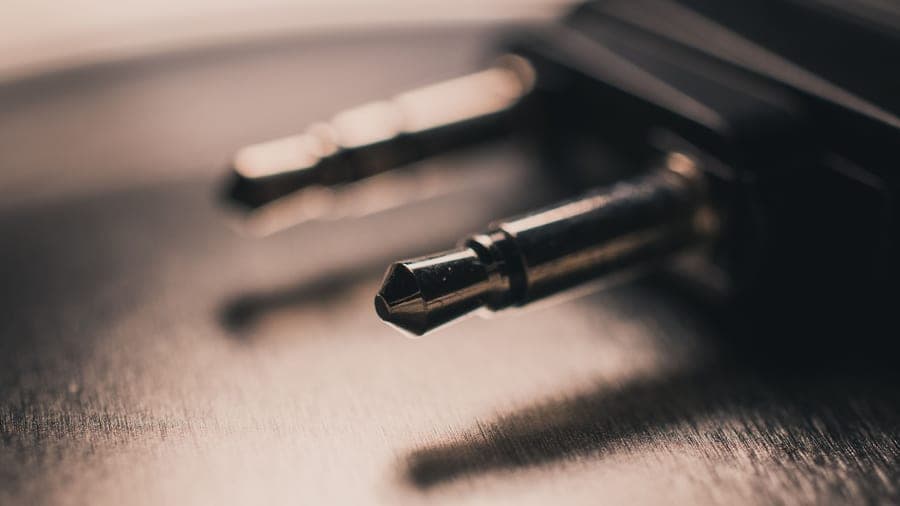
- A wired connection to a speaker with an aux input. Zero added latency, perfect reliability, works with every console and every game. Run a 3.5 mm cable from the TV's headphone output — or, on PlayStation, from the DualSense controller's own headphone jack — into the speaker. This is the only option with no compromise, and it is why the aux jack is the headline specification on this page.
- A low-latency USB Bluetooth transmitter. A small dongle in the console's USB port, paired to your speaker. Latency depends entirely on the codec the dongle and the speaker agree on; a transmitter advertising aptX Low Latency paired with a speaker that supports it is usable, and the same dongle paired with a speaker that only does SBC is not. Buy the transmitter after you know what your speaker supports, not before.
- Let the television do it. Most modern TVs will pair a Bluetooth speaker directly, which works and adds the TV's own processing delay on top of Bluetooth's. Some TVs offer an audio-delay or lip-sync setting that lets you null the picture against it. Acceptable for single-player and cinematic games, poor for anything competitive. The procedure is in how to connect a Bluetooth speaker to a TV.
What to look for in a speaker for console audio
- A 3.5 mm aux input, above everything else. It is the one feature that makes the whole problem go away, and it is also the feature most manufacturers have deleted. Our shortlist of speakers with an aux input is the relevant page.
- Clear midrange rather than big bass. Game mixes put footsteps, dialogue and directional cues in the midrange; a speaker tuned for thump buries exactly the information you need.
- Enough output for the room, and no more. You are sitting a few feet from a television in a furnished room. This is the easiest acoustic job on the site.
- Mains operation or long battery. A gaming session is longer than a party. A speaker that needs charging mid-session is the wrong speaker — see using a speaker while charging.
- Stereo, if it is on a desk. At desk distance stereo separation genuinely helps with directional audio. In a living room, from a single cabinet, it does not. Mono vs stereo covers the distance at which it stops mattering.
The speakers with the right input
 Illustrative
Best for console audio overall
Tribit StormBox Blast
The loudest thing we are willing to call good value.
- What it does well
- A 3.5 mm aux input, which solves the latency problem outright, plus over thirty-two hours of battery in independent testing so a long session is not a planning exercise. It has enough output to fill a living room without the bass collapsing, and the telescoping handle means it can move to the garden afterwards.
- Where it cuts corners
- Big and heavy enough that you plan around it, fit and finish trails JBL noticeably, and the LED bar is the fastest route to a flat battery — switch it off for gaming anyway.
- Who it is for
- Anyone who wants one speaker that handles a console, a projector and a party, wired when it matters.
- Battery: Over 32 hours in independent testing
- Water rating: IPX7 — submersible to 1 m for 30 minutes
#ad — we earn a commission on qualifying purchases. How this is funded
 Illustrative
Best for dialogue and directional cues
Bose SoundLink Max
The best-sounding portable we know of, and the one that still has an aux jack.
- What it does well
- The most natural voice reproduction of anything portable we recommend, which for narrative games and voice chat matters more than low end ever does. It keeps a 3.5 mm aux input when almost every rival has dropped one, and there is a carry handle.
- Where it cuts corners
- It sits well above this site's usual ceiling, twenty hours is beaten by speakers costing a quarter as much, and at 4.9 lb it is portable the way a toolbox is portable.
- Who it is for
- Story-driven games, voice chat and anyone who would rather hear the script than feel the explosions.
- Battery: Up to 20 hours
- Water rating: IP67 — submersible to 1 m for 30 minutes, dustproof
- Output: Two 25 W drivers
- Weight: 4.9 lb
#ad — we earn a commission on qualifying purchases. How this is funded
 Illustrative
Best wired speaker that stays put
Avantree PowerByte
A real radio first and a Bluetooth speaker second — which is the right way round here.
- What it does well
- A wired input, 30 W with bass radiators and twenty hours of battery, in a speaker designed to sit on a shelf rather than be carried. For a console setup where the speaker never moves, that is the right set of priorities, and it plays from USB and microSD when the console is off.
- Where it cuts corners
- No published IP rating, so it stays indoors, and it is a noticeably less refined listen than the mainstream portables. It is also the least portable speaker here.
- Who it is for
- A permanent console or desk setup where a cable is not a nuisance and the speaker never leaves the room.
- Battery: 20 hours
- Water rating: No IP rating published — treat it as an indoor speaker
- Output: 30 W stereo with bass radiators
#ad — we earn a commission on qualifying purchases. How this is funded
What about the Nintendo Switch?
The Switch is the exception — it has supported Bluetooth audio natively since a 2021 system update, with the caveats that you can pair only one audio device at a time, local wireless multiplayer is disabled while Bluetooth audio is active, and there is still audible latency. It is a real feature rather than a workaround, but it does not escape the physics; a competitive player will still want a wire.
For a PC, the same analysis applies in reverse: a PC will happily pair a Bluetooth speaker, so the latency is yours to accept or avoid. A desk setup is also the one place where a small stereo speaker is genuinely the right answer rather than a compromise — the shortlist is on the best Bluetooth speakers for a computer.
Frequently asked questions
Do Bluetooth speakers work with a PS5?
How do I connect a Bluetooth speaker to a PS5?
Does a USB Bluetooth adapter work on a PS5?
Why do consoles block Bluetooth audio?
Does the Nintendo Switch support Bluetooth speakers?
Update log
- First publication. Workarounds ranked by added latency rather than convenience, since latency is the reason the limitation exists. Console behavior cross-checked against PlayStation's own support site and independent reporting.
Sources
Every specification quoted above comes from the manufacturer or retailer listing below. We publish no measurements of our own — see how we pick.
- PlayStation — official support (audio devices and accessories)
- What Hi-Fi? — why Bluetooth headphones do not work with the PS5 or Xbox Series X
- Bluetooth SIG — Bluetooth technology overview (profiles, codecs, LE Audio)
- Samsung — Pair a Bluetooth speaker to your Samsung TV (manufacturer support)
- Tribit — StormBox Blast product page (manufacturer specifications)
- RTINGS — Tribit StormBox Blast measurements (independent test lab)
- Bose — SoundLink Max product page (manufacturer specifications)
- Avantree — PowerByte FM radio Bluetooth speaker (manufacturer specifications)
Read next
Guides
Do Bluetooth speakers work with a TV?
How to check whether your TV can do it, how to fix lip sync, and three speakers that sidestep the issue.
By Price
The best Bluetooth speakers for a TV in 2026
Speakers that can actually stay in sync with a picture, and the honest case for a soundbar.
By Price
The best Bluetooth speakers with an aux input in 2026
Speakers that kept the 3.5 mm jack, and the three jobs it does that Bluetooth cannot.

By Price
The best Bluetooth speakers for a computer in 2026
Desk picks chosen for near-field listening and connection behavior, not for outdoor output.
Head-to-Head
Bluetooth speaker vs soundbar in 2026
Sync, dialogue, placement and cost - and the one condition that makes a portable the better TV buy.

Outdoor & Party
The best Bluetooth speaker for outdoor movies
Why a wire beats Bluetooth for a projector, and the four speakers worth putting under the screen.